Multi-Angle Character Sheet Prompt
Generate a Multi-Angle Character Sheet showcasing nine distinct emotions and expressions of a model.
Prompt
Layout & Composition: A professional studio photography grid showcase displaying nine distinct head-and-shoulder portraits of the exact same young woman, arranged perfectly in a balanced 3×3 matrix layout with clean, thin border lines separating each frame.
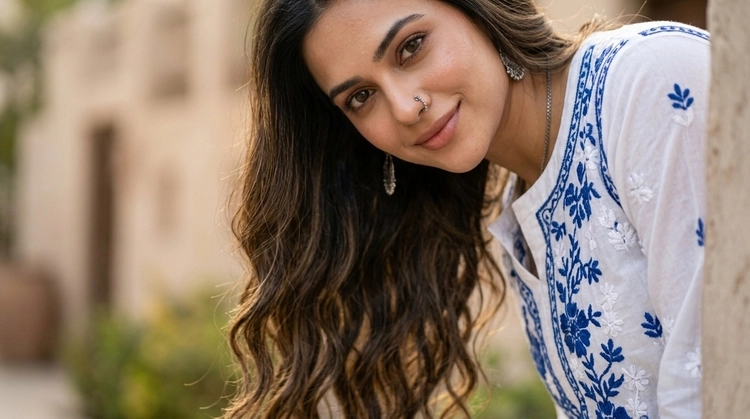
Subject & Styling: The model is a young woman with a fair-to-medium olive complexion, long, voluminous dark brown wavy hair, and deep brown eyes. Her makeup is minimal and natural, featuring subtle winged eyeliner, defined brows, and a neutral nude lip. In all nine panels, she wears the exact same outfit: a fitted, short-sleeved white ribbed crewneck t-shirt.
Varied Expressions: Each of the nine frames captures a unique, distinct pose and facial expression to show a complete emotional range: a broad joyful smile, a thoughtful side-glance looking upward, a neutral and serious expression, an open-mouthed candid laugh, a dynamic turn looking back over her shoulder, a symmetrical pose with both hands adjusting her hair, a playful wink, a casual pose touching her shirt, and a clean side profile view.
Lighting & Environment: Every panel shares a uniform, identical solid light-gray studio background. The entire matrix is illuminated with crisp, even, high-end professional studio flash lighting that eliminates harsh shadows while retaining authentic skin textures, individual hair strands, and fabric details consistently across all nine frames.
Negative Prompt:
asymmetrical layout, different models, changing outfits between frames, colorful backgrounds, indoor home settings, text, watermarks, logo overlays, labels, 3D render, CGI, cartoon, digital illustration, distorted facial features, airbrushed skin texture, plastic look.
How to use this prompt
Copy the Prompt
Click the dedicated copy button on the prompt box above to copy the custom AI text to your clipboard.
Open Your AI Tool
Open your favorite AI image generator (such as Bing Image Creator, Chatgpt, or Gemini) and paste the prompt into the text field.
Generate & Save
Click generate and watch the AI render ultra-realistic variations. Pick your favorite image and download it instantly in high resolution.